The music party game
Guess the song.
Guess the year.
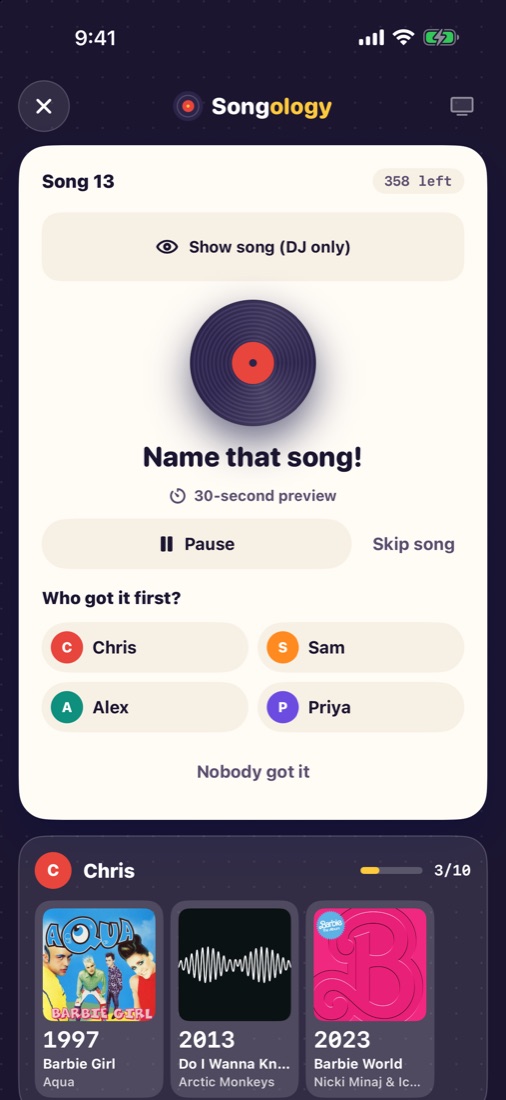
A mystery song plays. Everyone shouts out what it is. Whoever names it first places it on their timeline by year. Right spot? Keep it. First to 10 wins.
Free to play. No accounts. Hundreds of hits from the 1950s to today.
How it works
One phone is the DJ. Everyone else just needs their ears, their voice and a little musical memory.
Listen
The DJ's phone plays a mystery song through a speaker or your TV.
Shout it out
First to name the song wins the chance to keep it. The DJ decides who was first.
Guess the year
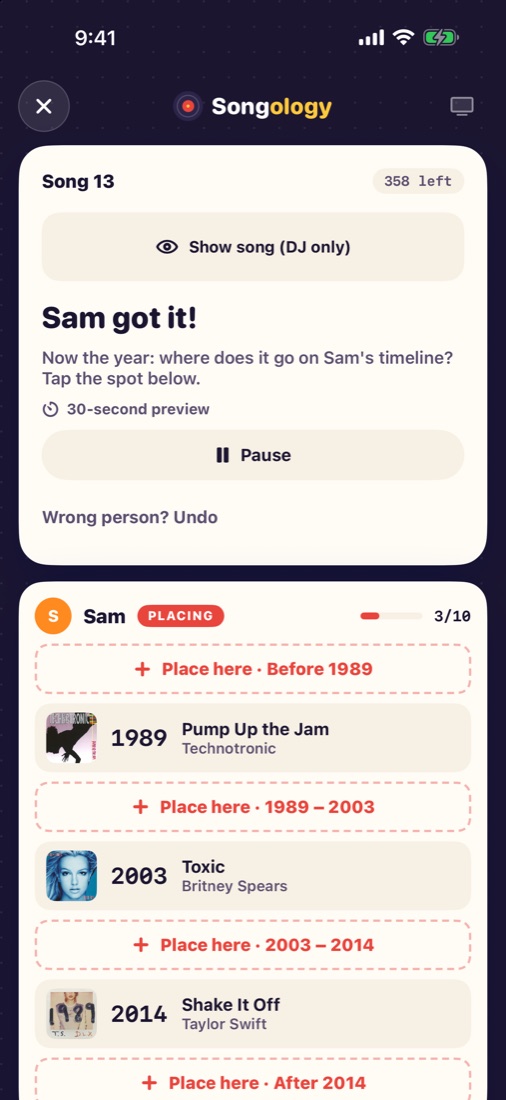
Place the song on your timeline: before, between or after the songs you already have.
Keep it or lose it
Right spot, it's yours. Wrong spot, it's gone. First to 5 or 10 songs wins.
Made for the whole room
Songology turns your living room into a game show, with no cards to shuffle and nothing to set up.
One phone is the DJ
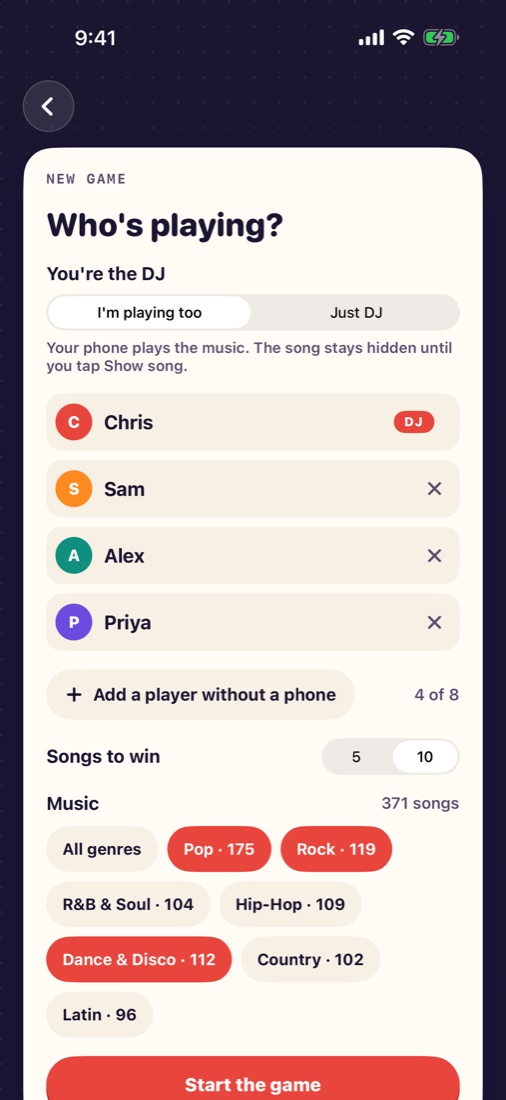
The DJ plays the music, picks who got it first, and can peek at the answer. Play along or just host.
Friends join by QR code
Scan and you're in. Everyone sees their own timeline and places their songs on their own phone.
Big on your TV
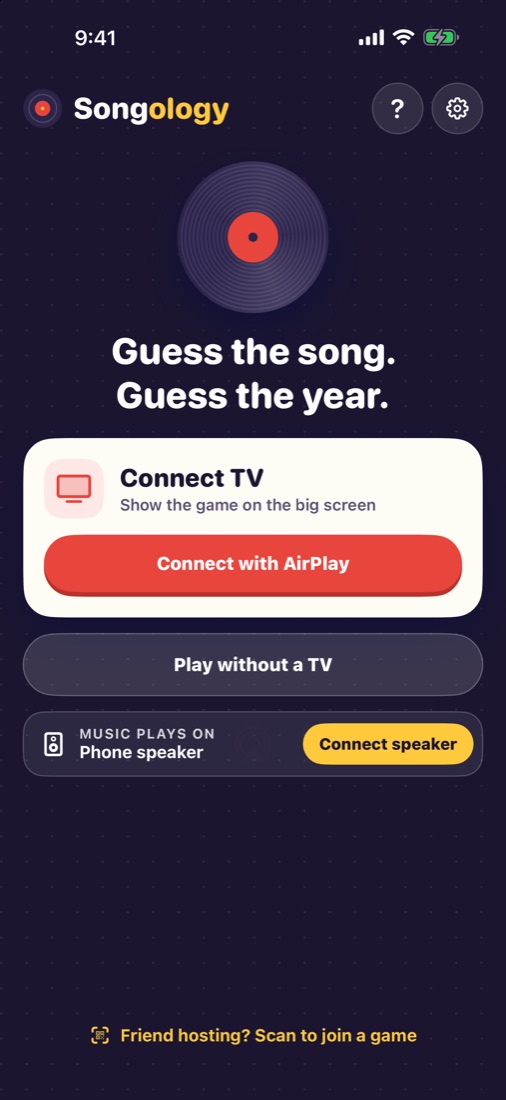
AirPlay to your TV for album art, everyone's timelines and a big reveal the whole room can see.
Pick your music
Seven genres and hundreds of hits from the 1950s to today. Mix them however your crowd likes.
Full songs with Apple Music
Apple Music members hear every song in full. Everyone else plays with 30-second previews.
2 to 8 players
No phone? No problem. The DJ can add players and tap for them, so everyone can play.
Your music, your rules
Choose one genre or mix them all. Every song comes with its original release year, so the debates are about the music, not the answers.
- Pop
- Rock
- R&B & Soul
- Hip-Hop
- Dance & Disco
- Country
- Latin
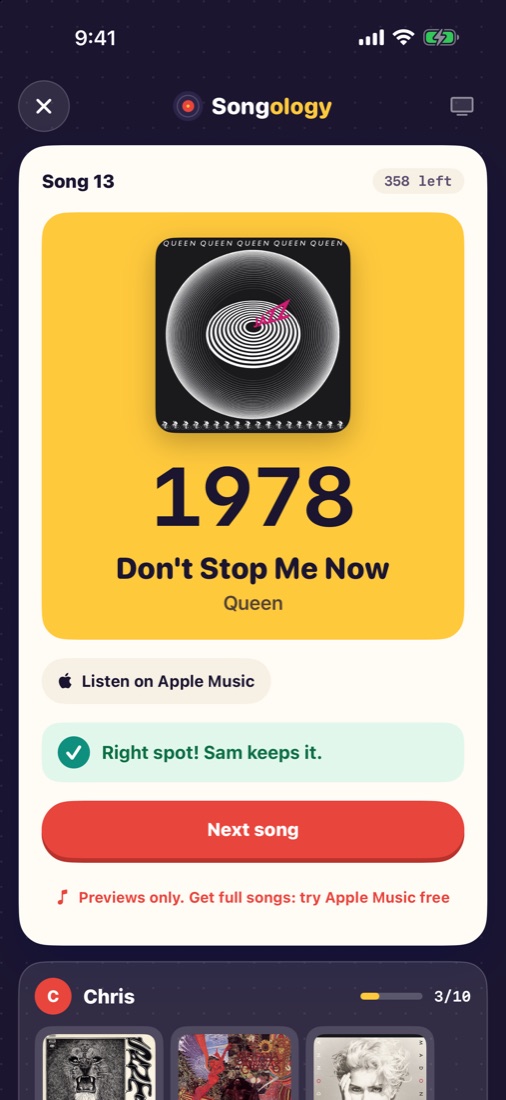
See it in action
From the first song to the final reveal.
Questions
Is Songology free?
Yes. Songology is free to download and play. Without Apple Music, songs play as 30-second previews; with an Apple Music membership, every song plays in full.
Does everyone need the app?
No. Only the DJ needs it. Friends with iPhones can join on their own phones, and the DJ can add players without a phone and tap for them.
How do I show it on my TV?
On the DJ's phone, open Control Center, tap Screen Mirroring and choose your Apple TV or AirPlay TV. Songology shows its own TV screen, not a copy of your phone.
How many people can play?
From 2 to 8 players, plus the DJ if they'd rather just host.
Do I need an account?
No accounts and no sign-up. Phones in the same room find each other over Wi-Fi.
Who really knows their music?
Songology is coming soon to the App Store for iPhone.